Creating a Sharing Rule
Last updated
This article will teach you how to create a Sharing Rule.
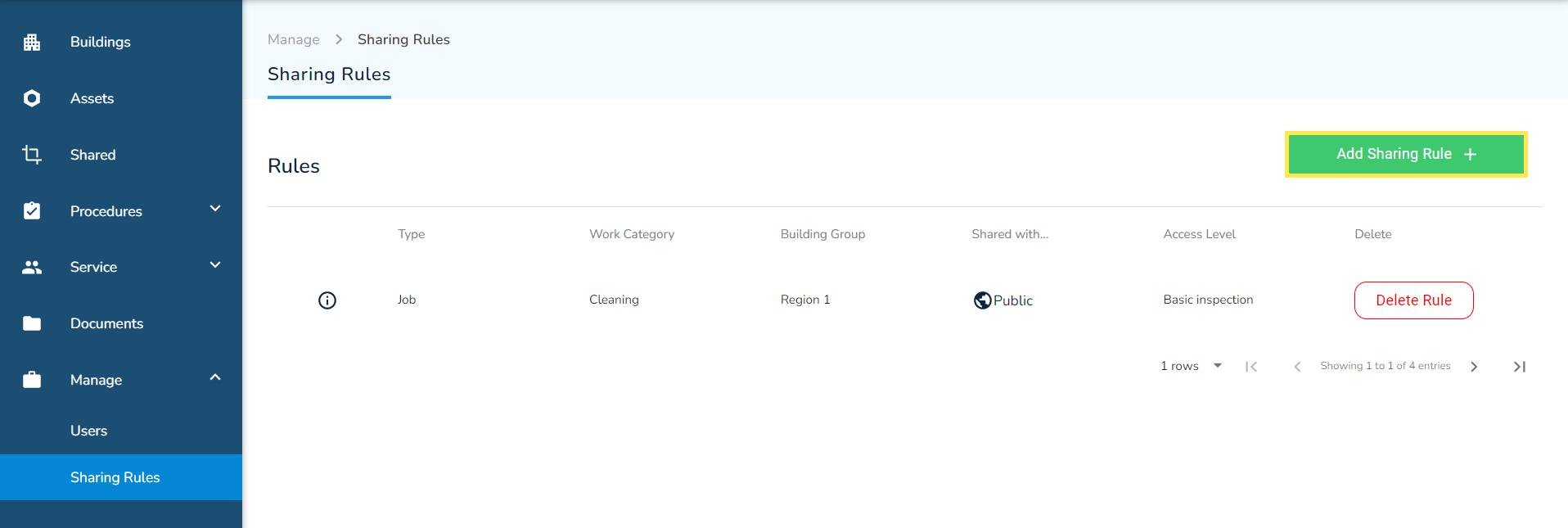
- From the Sharing Rules page, click on the Add Sharing Rule +.
- Fill in the details in the form presented to you. Each field is explained in more detail below.
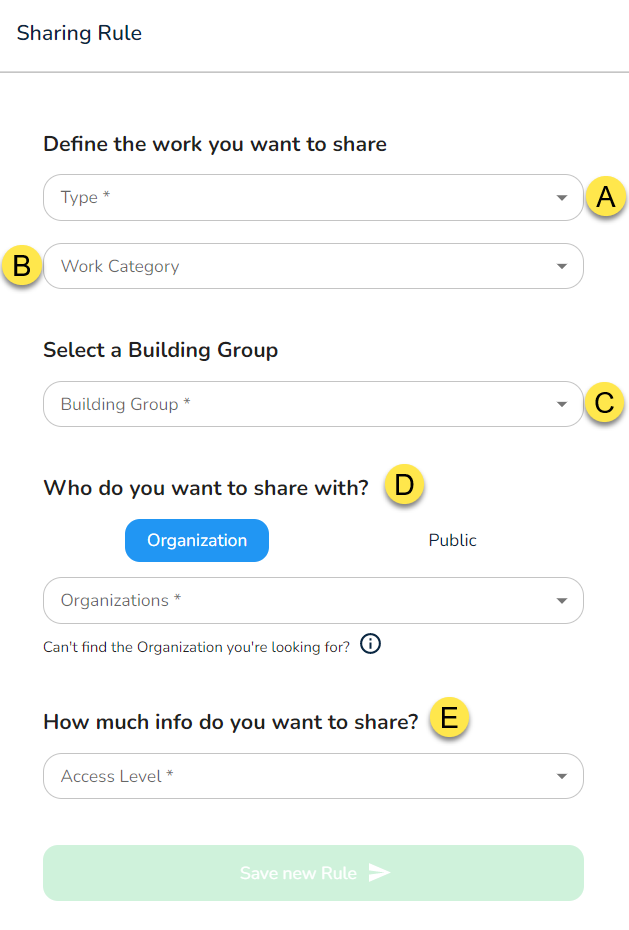
A - Type
Select the type of work you want to share. There are two options to choose from: Inspection or a Safety Form.
B - Work Category
Use this to define the type of work you want to share.
C - Building Group
Select the group of buildings whose work you want to share.
D - Who do want to share with?
This setting gives you the option to share the work with another organization (usually your customer), or the public (i.e. anonymous users).
E - How much info do you want to share?
There are 6 levels of sharing permissions (i.e. Access Level). Each level defines the amount of information you would like to share. Each level is explained in more detail in this article.
- Click on Save new Rule when done.