Work Area/Question Cards
Last updated
In the Service Twin app, each question is displayed in a card-style format and has various features.
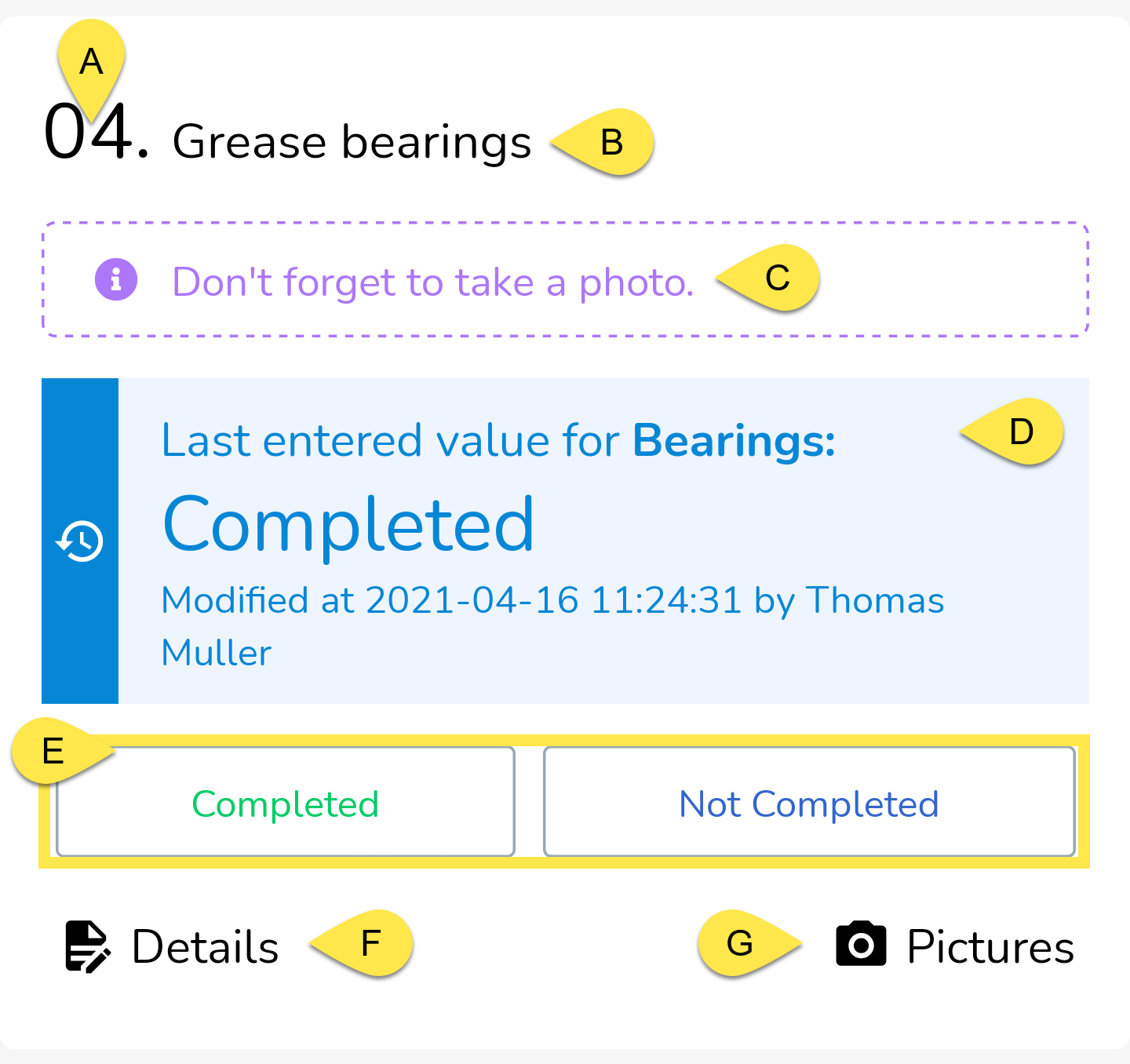
A - Question (or Step) Number The number of the question. Questions will be sorted in alphabetical/alphanumerical order.
B - Question (or Step) This is the question or step that you should read and follow. This is where you will receive the main set of instructions for the question/step at hand.
C - Remarks Any additional notes that the office left for you for this question is going to be displayed here in this purple box.
D - Asset Property Information If enabled, this blue box will display additional information. This may be the previously recorded answer to the question, sensor data or health & safety information.
E - Answer Choices This is where you will record your answer to the question.
F - Enter Details Use this field to enter additional details about the question you're answering or the step you're performing.
G - Add Pictures Supplement your answers and comments with some pictures by tapping on this button. You will have the chance to take photos directly with your camera or upload existing photos from your library. Also, there is a field to enter an optional caption for each photo that you upload.
Measurements
You may sometimes come across a special type of question (or step) that asks for a measurement to be taken. The question-card will look similar to a regular question card but will actually serve a different purpose. Measurement questions will look like this:
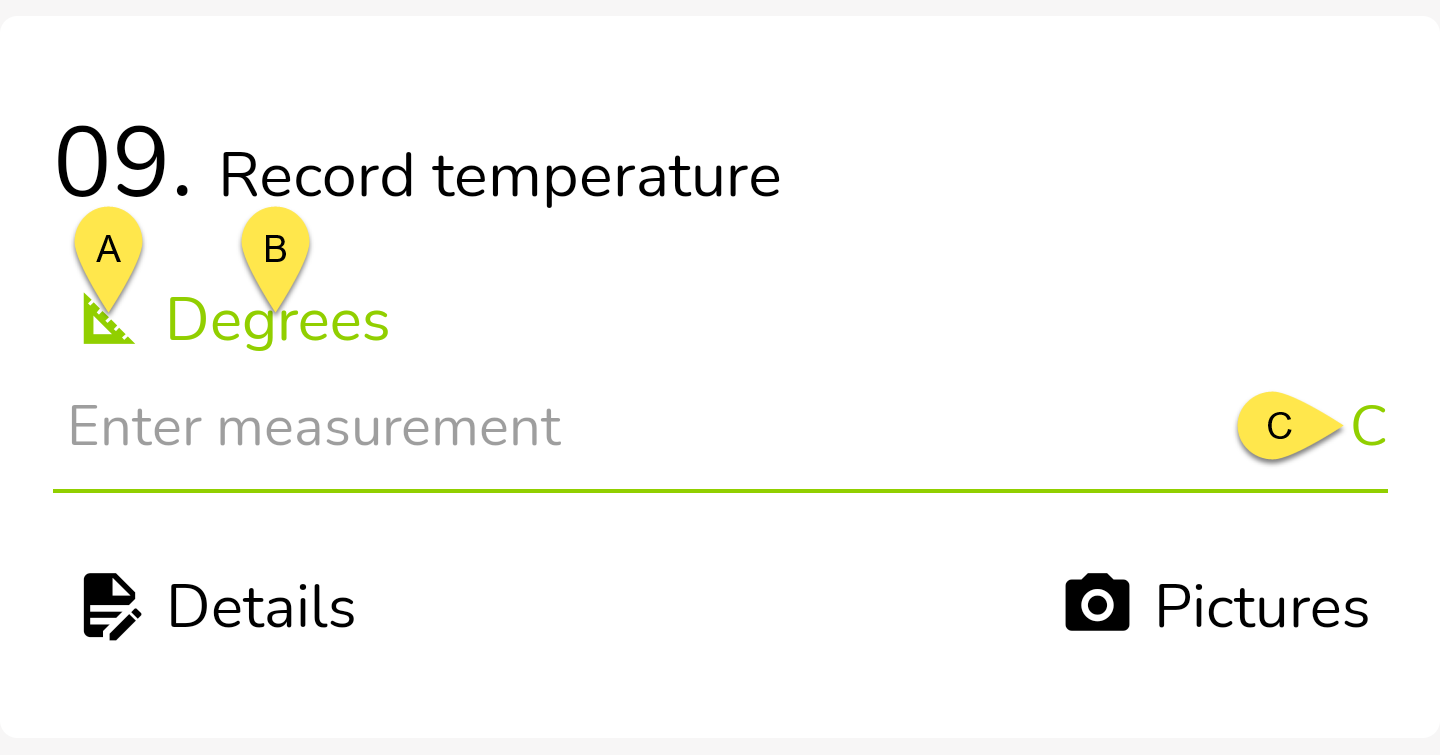
A measurement question will ask you for a specific measurement that only accepts a numeric input.
The question will have a greenish/yellow colour and will be denoted by a right-triangle icon (A). (B) denotes the label of the measurement you're taking and (C) denotes the unit, in this particular example, degrees Celsius.
Multi-select
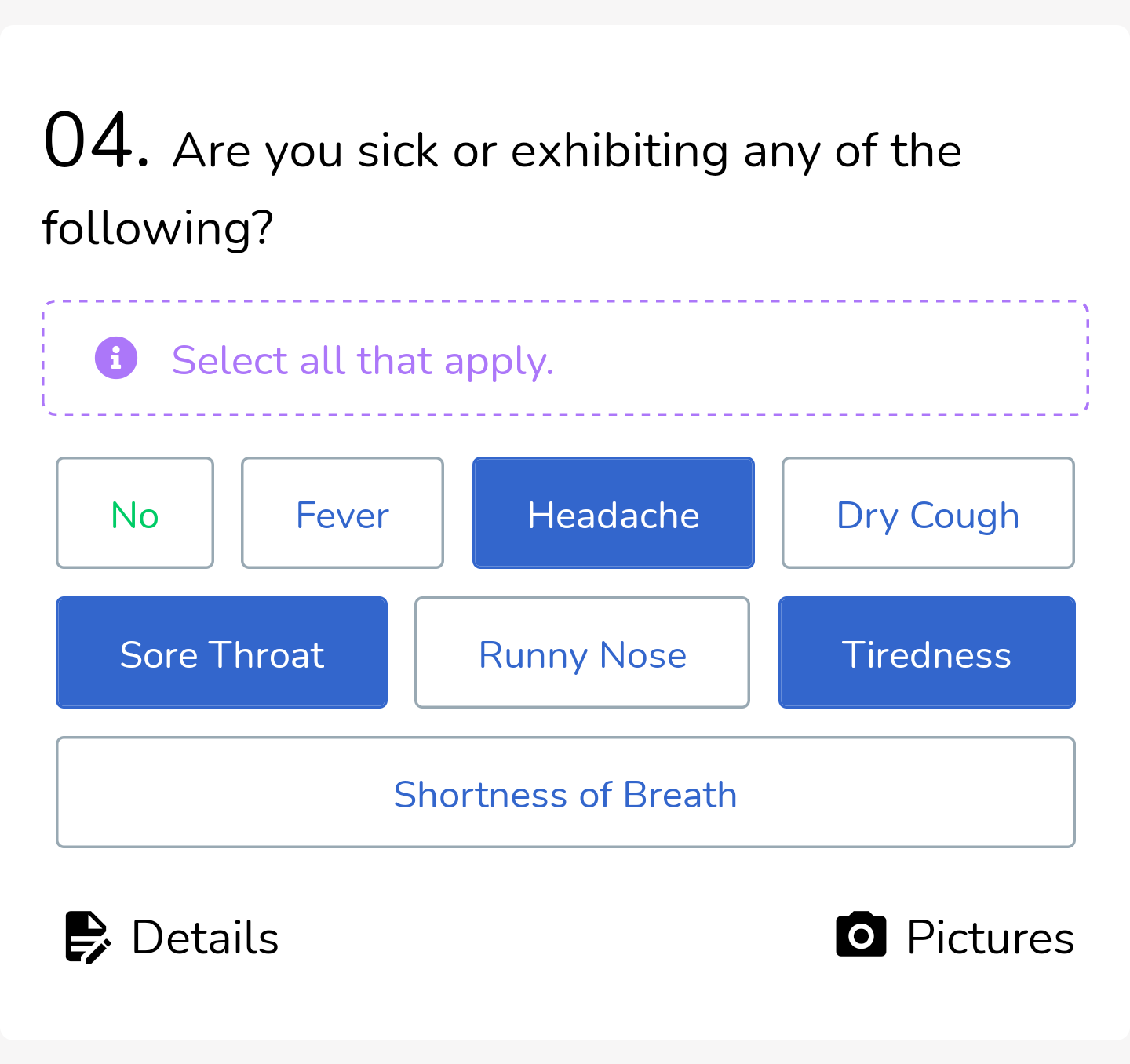
You may also sometimes come across a question (or step) that allows you to select more than 1 answer. This is an option that your office administrator has when creating questions in the Procedure Designer tool.
Here's an example of what a question like that may look like with 3 answers selected: