Visits (All Work)
Last updated
This article shows you how to manage the dispatched tasks from the Visits tab on the All Work page of the Admin Portal.
Create a New Visit
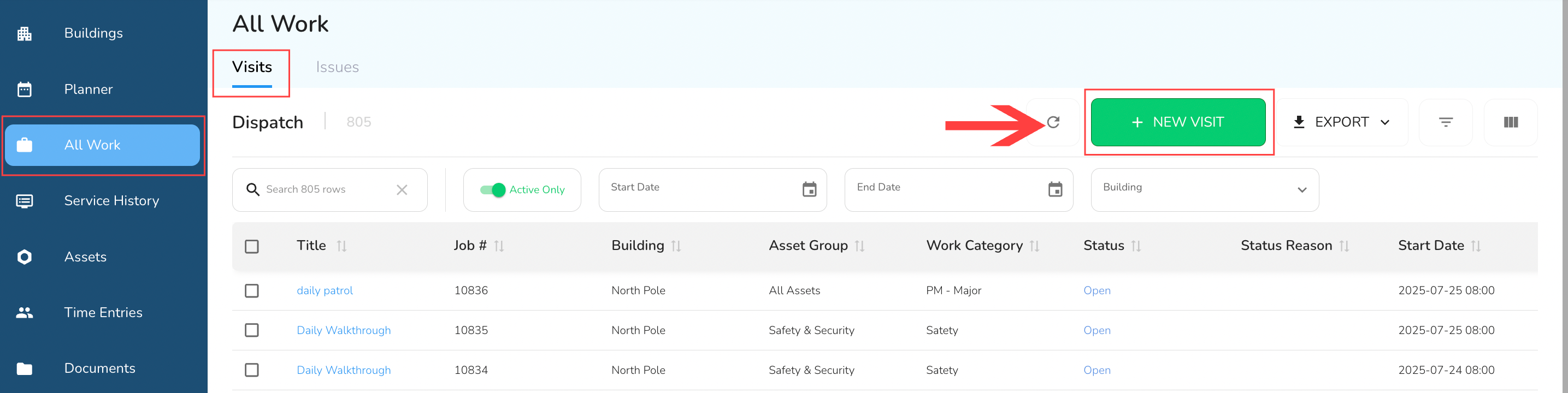
To create a new visit, click the Create Visit button in the top toolbar.
A slide-out form will appear. Fill in the required fields:
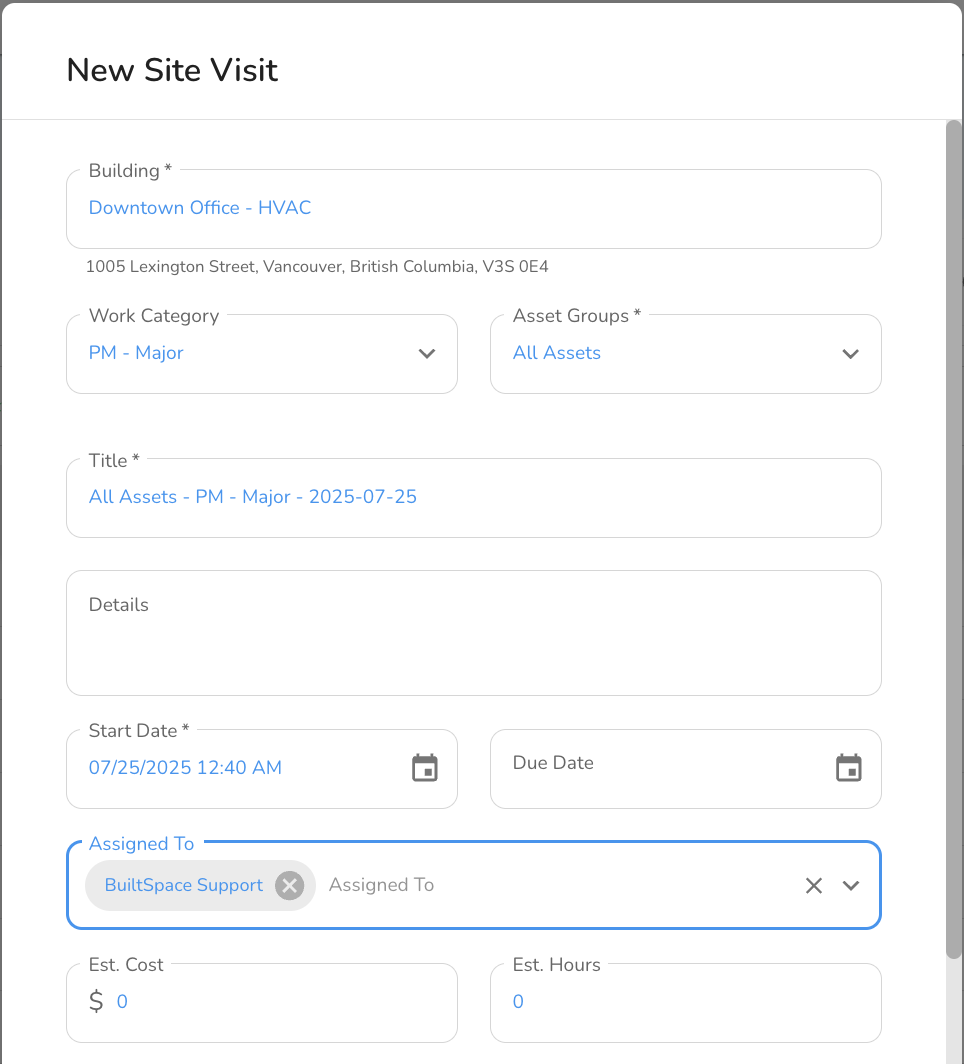
- Building Select the building where the Visit will take place. The address for the selected building will display below this field.
- Work Category Choose the type of work to be done during this Visit. Work Categories help determine which Procedures will be selected when the technician is completing the visit.
- Asset Groups Pick which group of assets this Visit will apply to. This ensures that only relevant assets are included in the visit.
- Title This field is auto-filled with a default title based on the selected options, but you can edit it as needed.
- Details Add any additional information to describe the Visit. This can include specific instructions, notes, or context for the assigned technician.
- Start Date Set the start date and time for the Visit.
- Due Date (Optional) Add a due date if there is a deadline by which the Visit needs to be completed.
- Assigned To Select the technician or user who will be responsible for completing the Visit. You can assign one or more users.
- Estimated Cost Enter the expected cost associated with this Visit.
- Estimated Hours Enter the number of hours you expect this Visit to take.
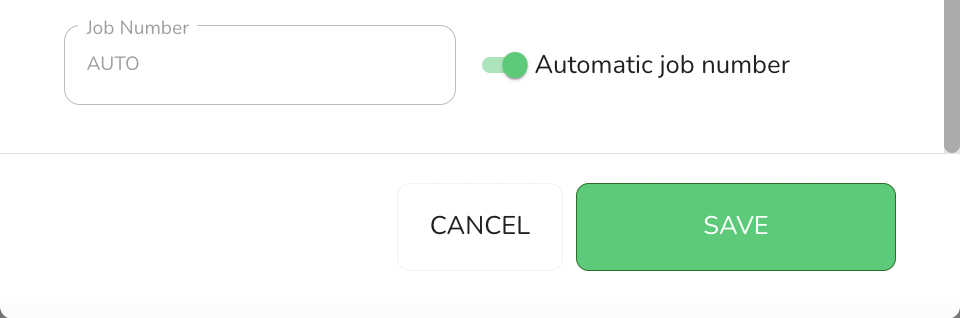
Once you’ve completed the form, click Save to create the Visit or Cancel to exit without saving.Ask ChatGPT
- Job Number
Type your own number or get an automatic one by default.
Visit Information
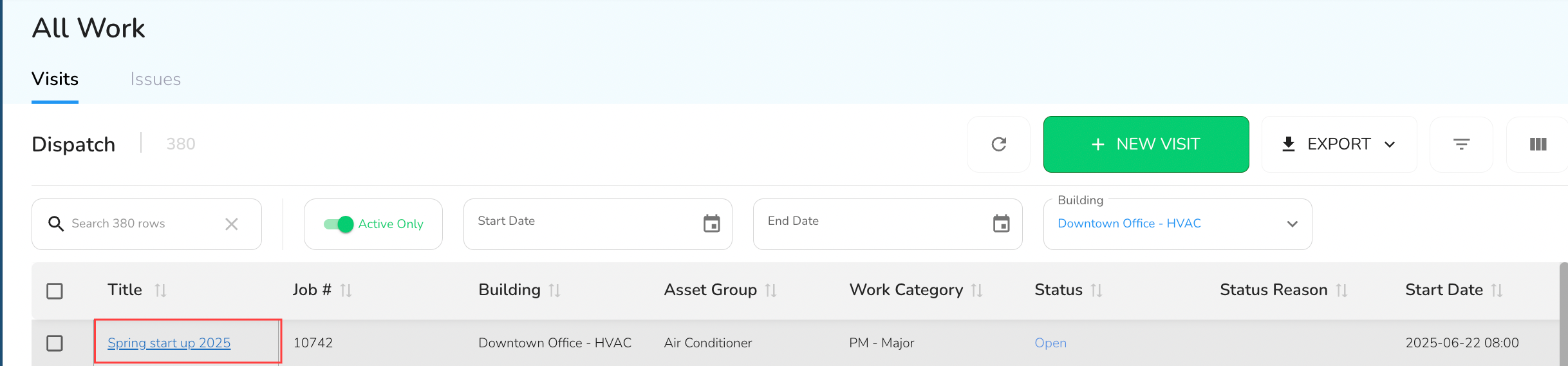
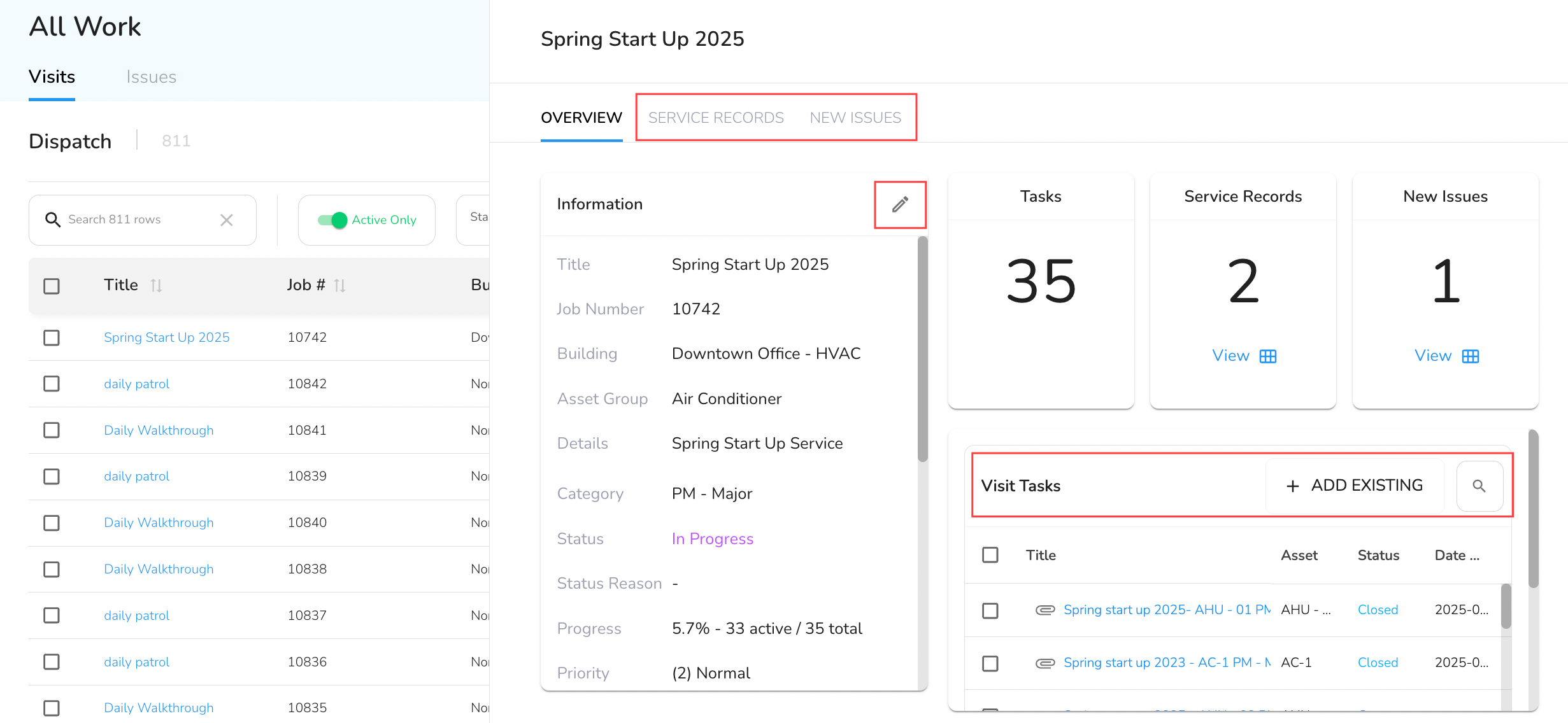
To view/edit or add tasks/issues to an existing visit, click on the Title. This will open the visit slide-out.
Edit Visit Information
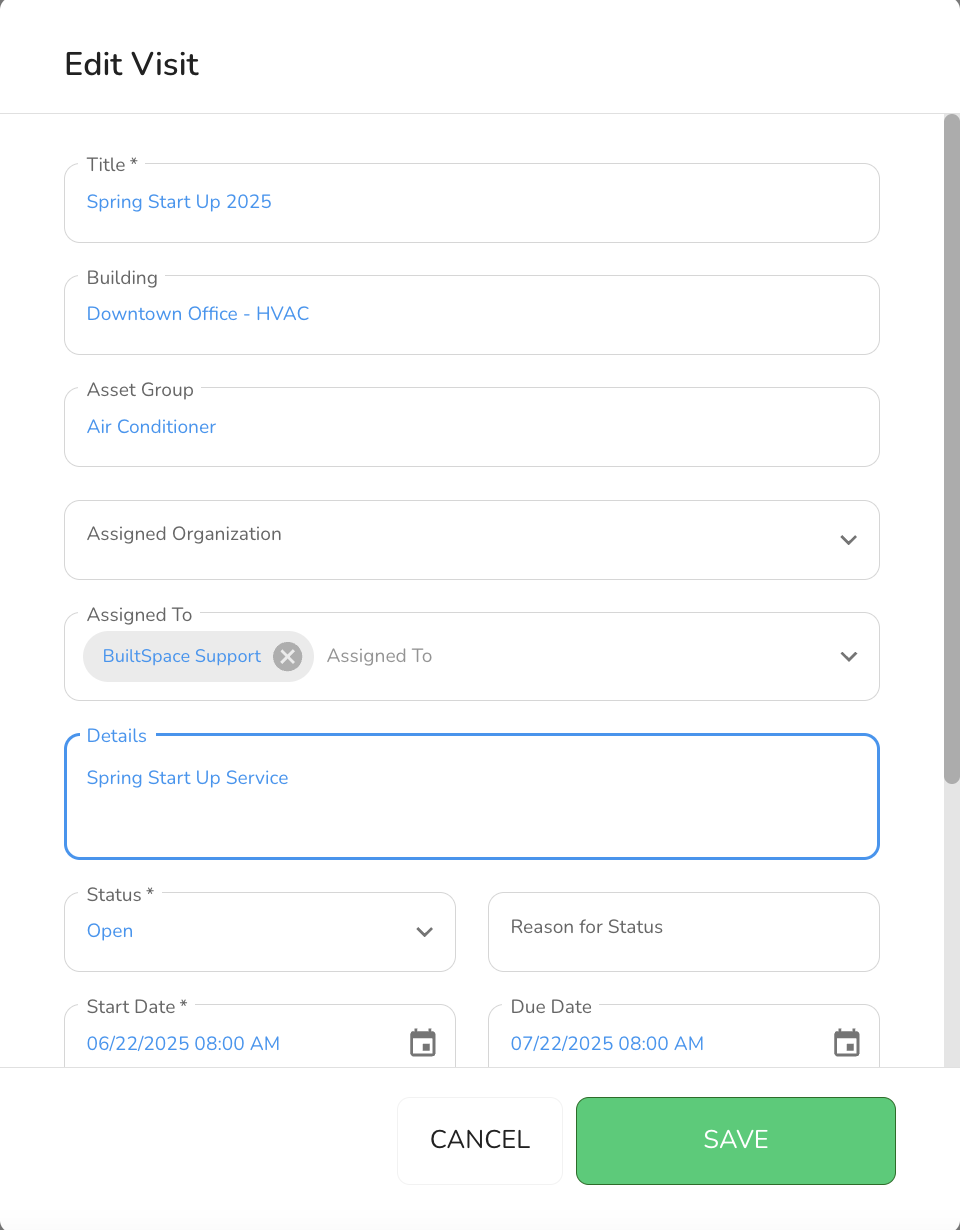
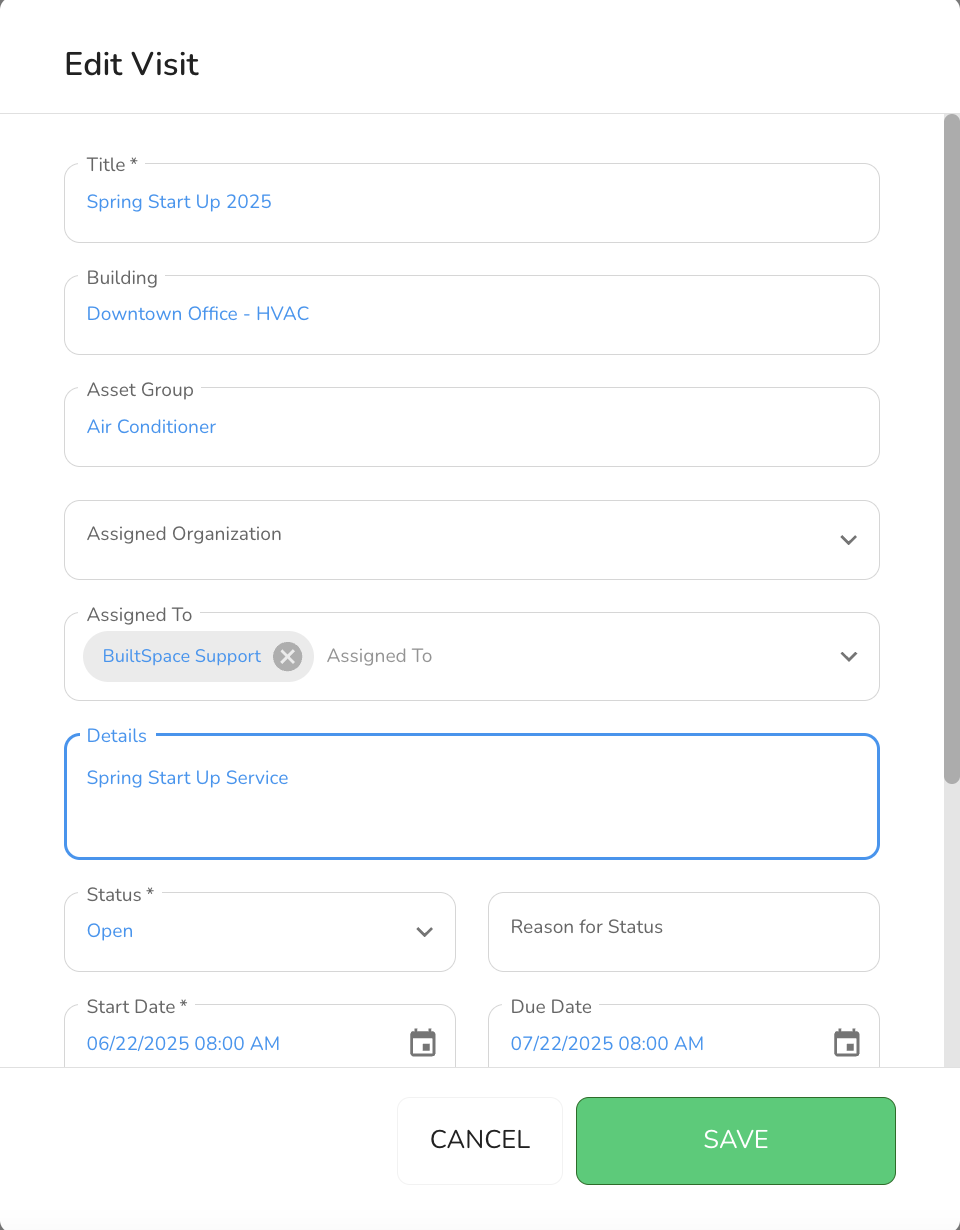
To edit an existing visit, click the pencil icon at the top of the Information box to make changes to the Visit. This will open the visit pop up where you can update any of the fields.
Click Save when done.
View Tasks in the Visit
In the Visit Tasks section of the slideout, you can view the list of tasks assigned to that visit. This includes tasks pulled in from service procedures or added manually.
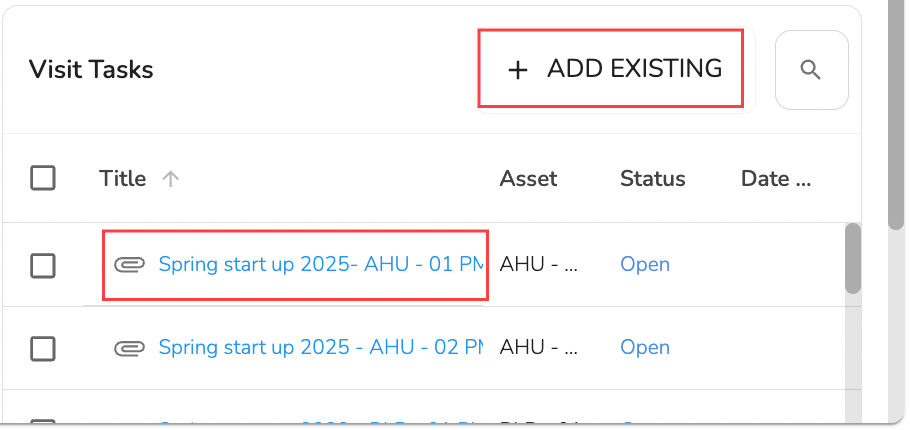
Click on a Task title to edit information for the task. This will open the visit pop up where you can update any of the fields.
Click Save when done.
Add Existing Issues to a Visit
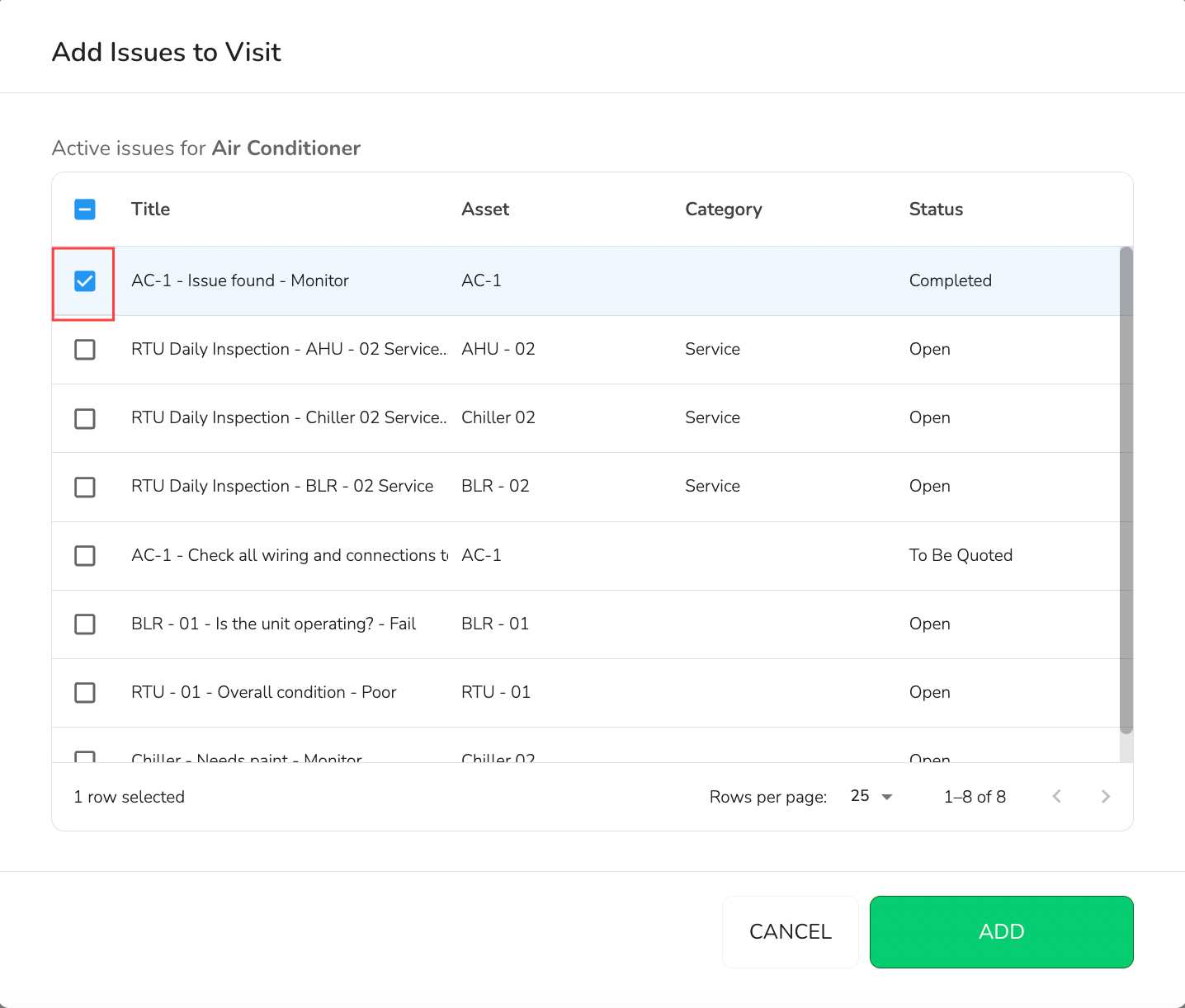
You can associate existing issues with a visit.
In the Visit Tasks section of the visit slideout, click Add Existing and select one or more issues (must be from the same building). Click Add when done.
The selected issues will be added to the visit record.
View Inspection History
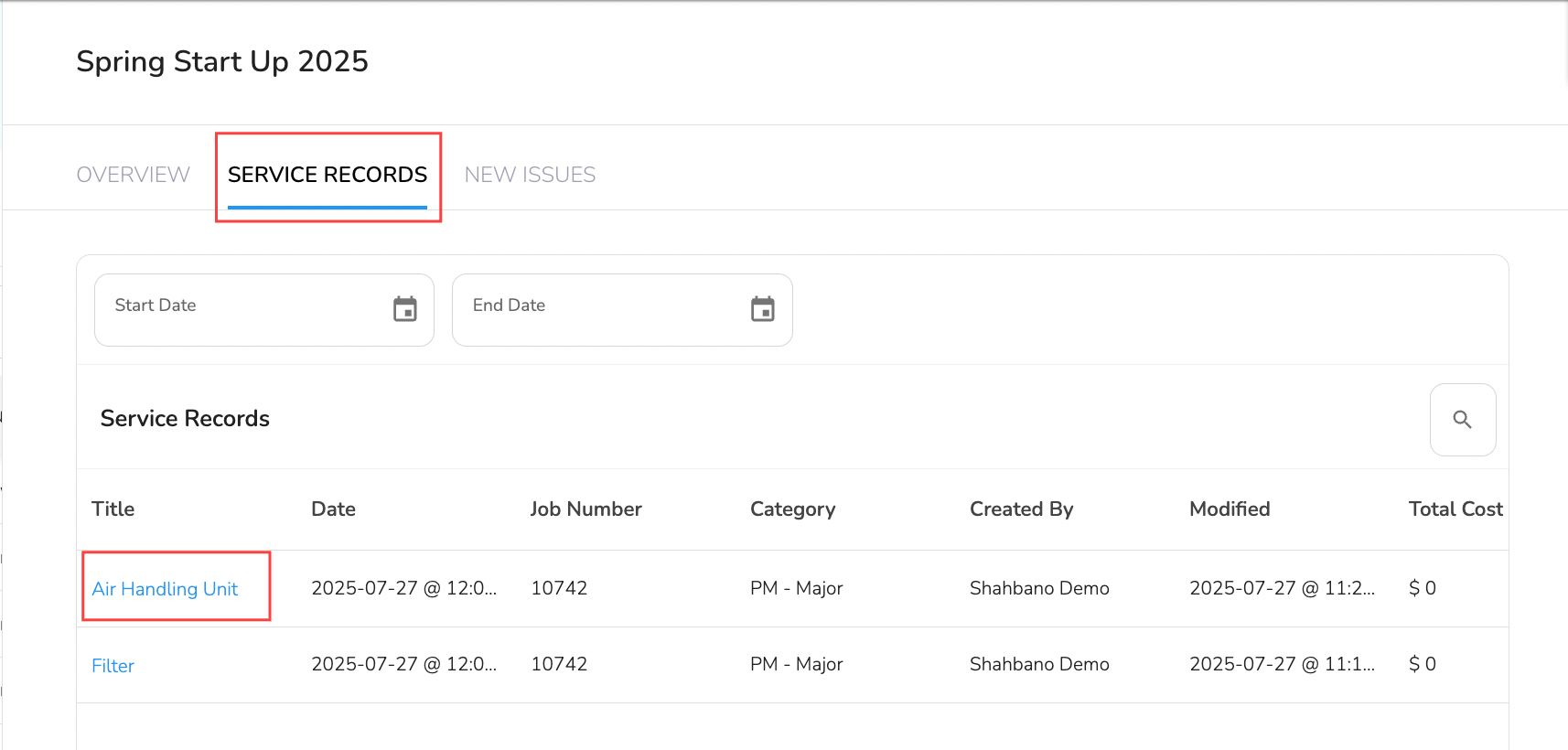
Click on the Service Records tab (second tab in the slideout) to see service history submitted from that visit. Click on the Title to view the service record.
View Issues Created During a Visit
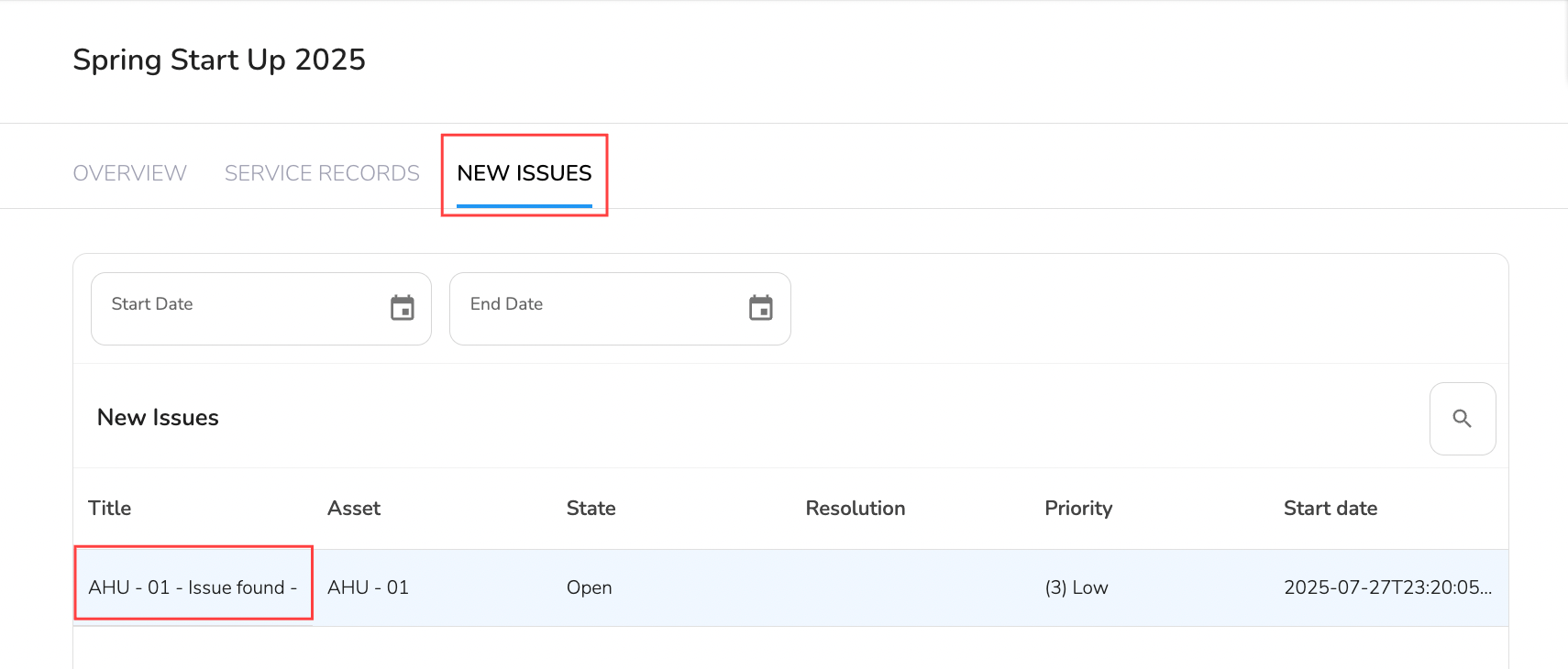
Click on the New Issues tab (third tab in the slideout) to view new issues that were created while the visit was in progress.