Property Definitions
Last updated
This article shows you how to manage predefined asset properties from the Settings tab in the left navigation menu of the Admin Portal.
These properties are used across the platform, including:
- The Procedures screen, for questions with Integrated Data
- The Notifications screen, to send emails based on specific asset properties
How to Manage Asset Properties
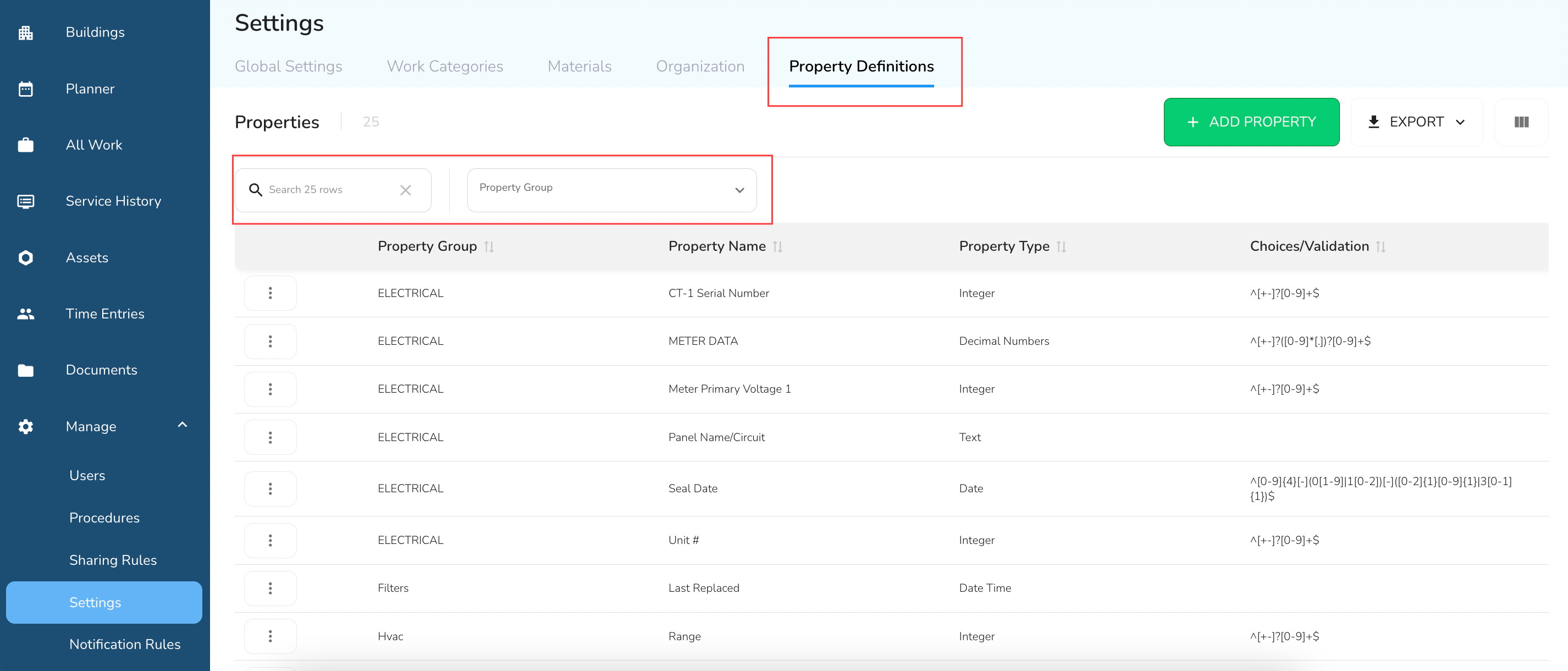
From the Settings screen, go to the Property Definitions tab to view, edit, or add asset properties. You can search existing properties using the search bar or filter by Property Group.
Edit or Add an Asset Property
1. To add a new property
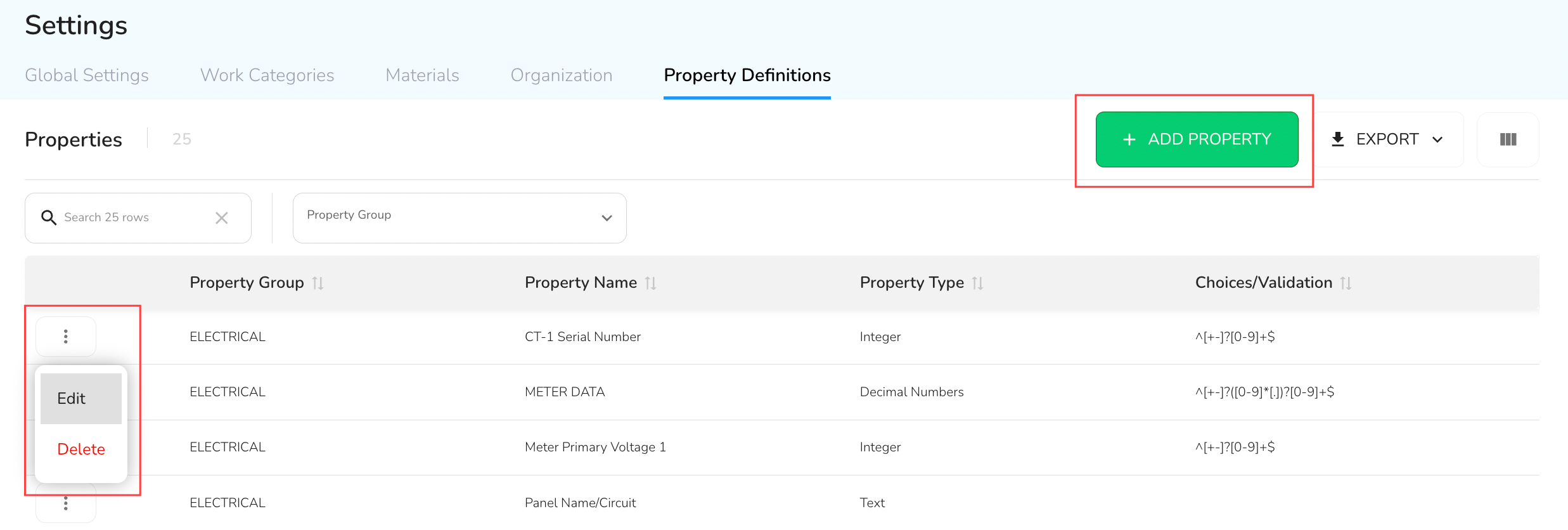
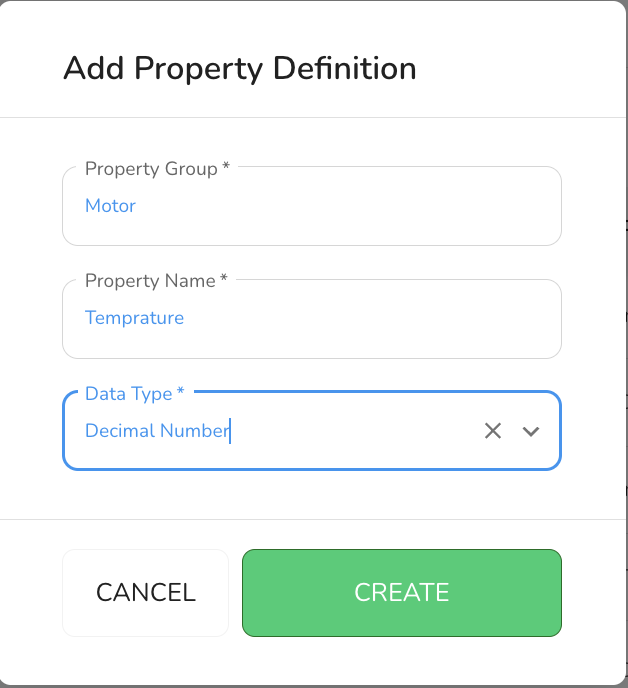
Click the + Add Property button and complete the fields as shown below:
- #### Property Group
Select from the dropdown or enter a custom value. For example: If you're tracking motor temperature, your Property Group might be Motor.
- #### Property Name
Enter the specific property name. Continuing the example above, the Property Name would be Temperature.
- #### Data Type
The Data Type defines what kind of values are accepted, whether from integrations or entered manually during maintenance. Here are the available types:
- Marker/Tag – Self-referential; the property name is the value.
- Text – Accepts any string.
- Choice – A defined list, separated by pipe characters (e.g.
A|B|C). - Date – Accepts ISO-formatted dates.
- Time – Accepts ISO-formatted times.
- Date and Time – Accepts ISO-formatted date/time.
- Decimal Number – Accepts numbers with decimals.
- Integer – Accepts whole numbers.
- True/False – Accepts boolean values.
- Haystack Ref – Used for integrations referencing Haystack data.
- Multichoice – Like Choice, but supports multi-select using commas (e.g.
A, B, C). - Custom – Supports custom validation using regex (for advanced users).
In the motor temperature example, the Data Type would be Decimal Number.
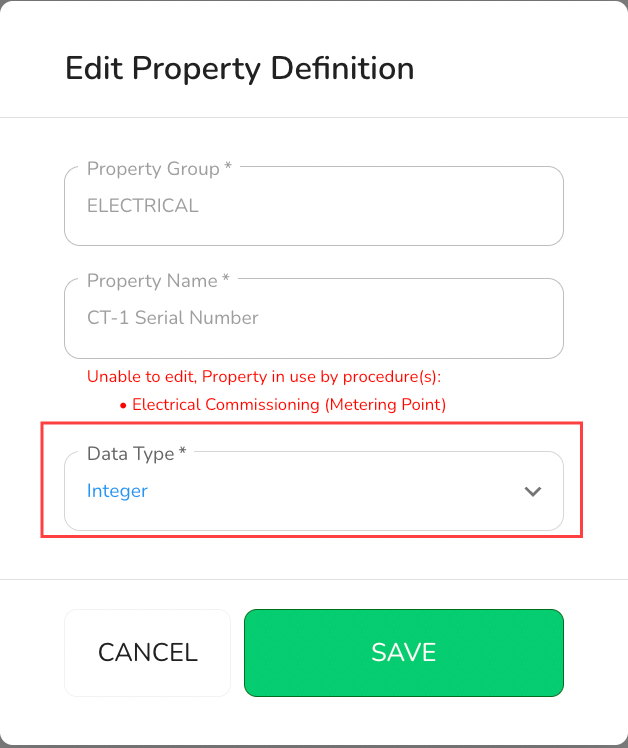
2. To edit an existing property
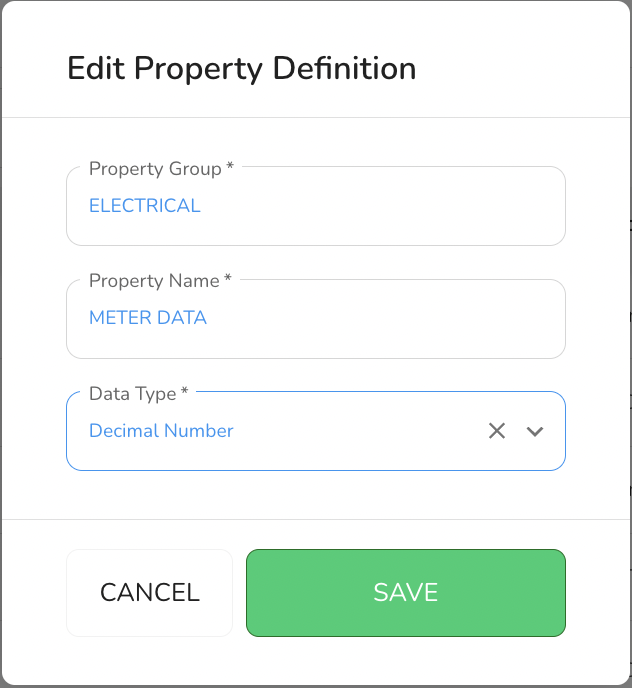
Click on the three dots beside the Property Group, then select Edit. After making your changes, click Save to apply the updates and close the form.
[!WARNING]
If an asset property is currently in use, you’ll see a red warning message indicating which Procedure is using it. In this case, you can only edit the Data Type.
Changes made here help standardize asset data and ensure consistent integration across Procedures, Notifications, and other platform features.