How to view the Latest Inspections on an Asset
Last updated
The Latest Inspections view will allow you to see the most recent Inspections that are performed on your Assets. You can either view data for all Assets or narrow the search by selecting an Asset Group and a Building.
- From the top navigation, click on Assets.
 2. Select the Asset Group, Building and Latest Inspections.
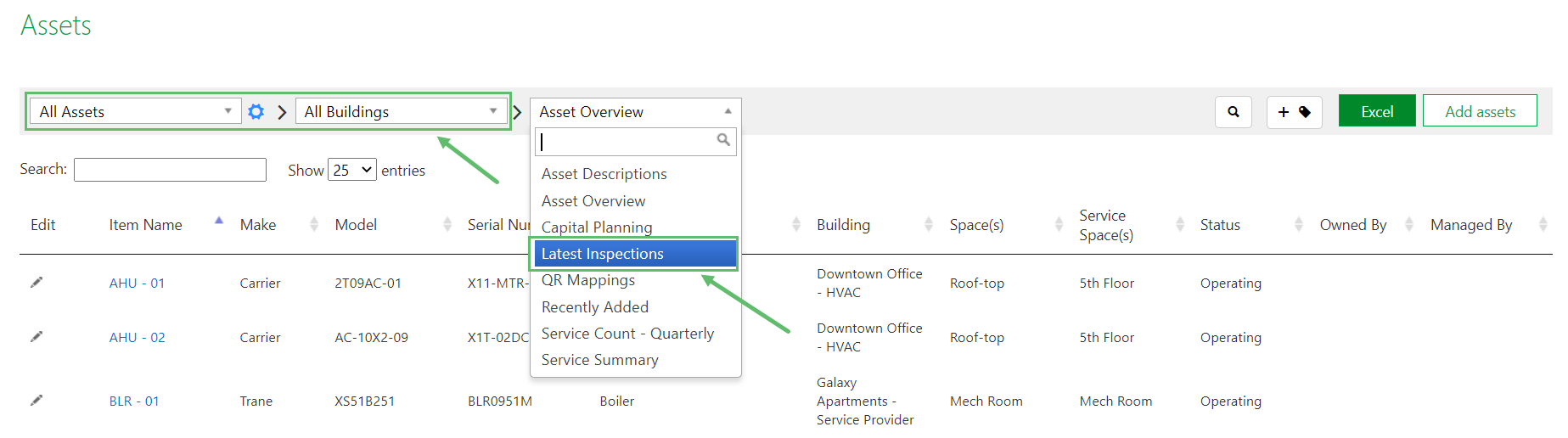
- The Inspection Date column will show the date and time of the most recent inspection for that Asset.

- By clicking on the green Excel in the top right, you can download the shown data in Excel format.
