How to make a question Mandatory
Last updated
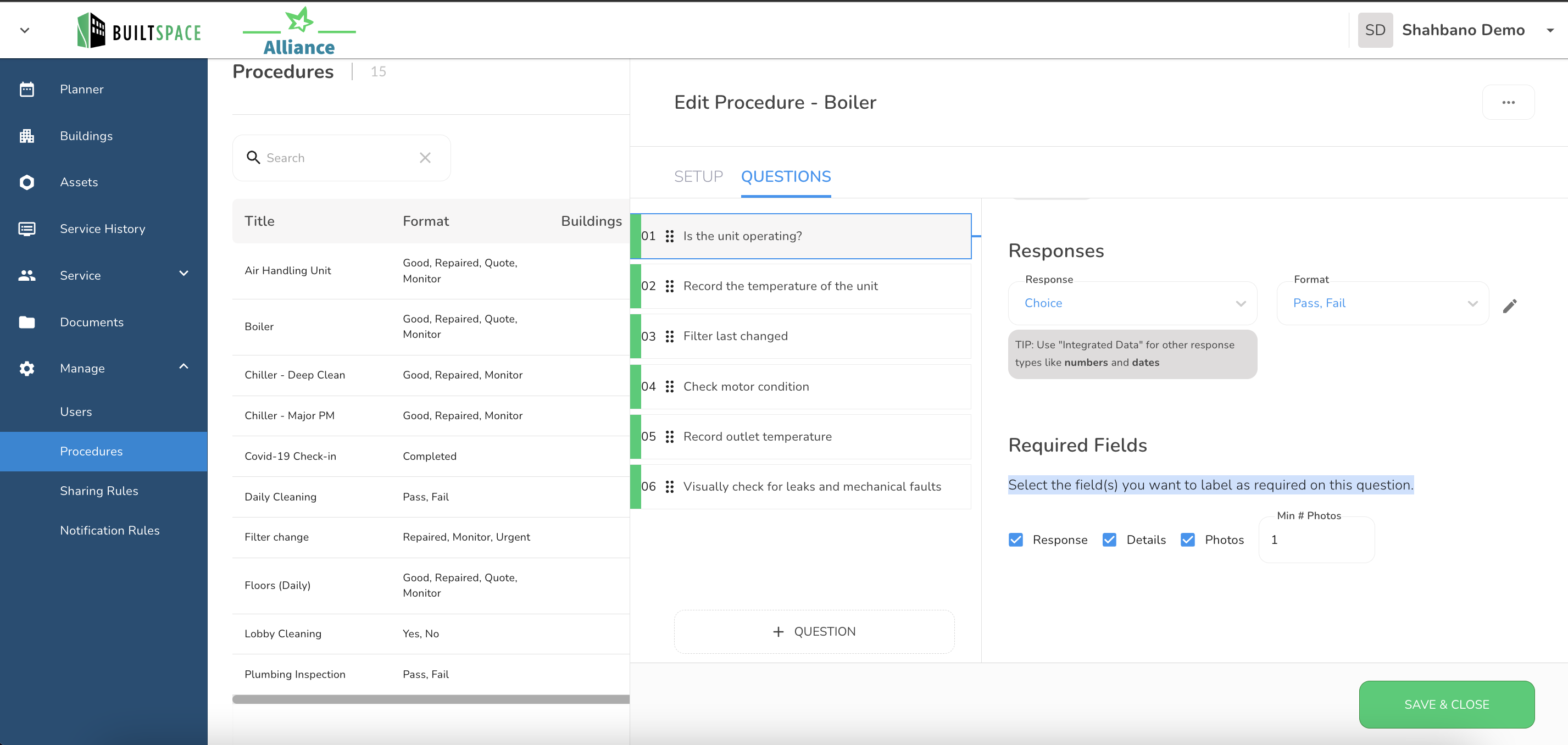
To designate a question as Mandatory, please follow these steps:
- Open Questions
- Navigate to the question screen and locate the specific question you wish to make mandatory.
- At the bottom, select the field(s) that you intend to mark as required for this question.
- "Response" - This setting makes the response to the question mandatory.
- "Details" - Forces users to enter text in the "Details" section.
- "Photos" - This option requires users to attach photos to the question. You can also specify the minimum number of photos they must attach.
- Save & Close
- After configuring the mandatory settings, click "Save & Close" to save your changes.
By following these straightforward steps, you can ensure that specific questions are designated as Mandatory for effective task completion.