How to generate an Inspection Summary Report
Last updated
Note:Please write to support@builtspace.com to enable the Inspections Summary report.
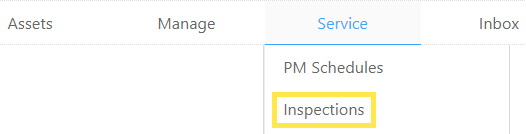
- Hover over to the Service tab near the top of the page and click on Inspections.
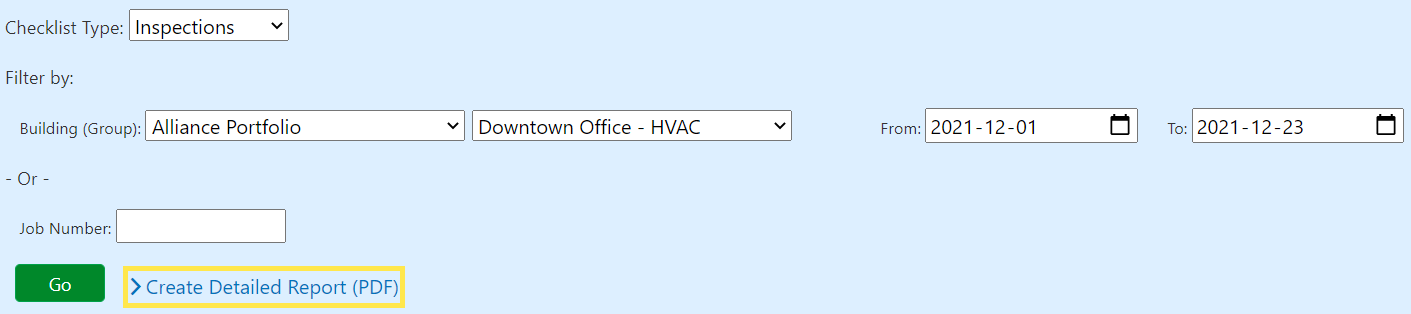
- Use the filters to narrow down your results:
Building (Group)
Building (Group) is a way of grouping your Buildings. For example, Building (Group) can be used to organize Buildings by type, location, or any other classification that best suits your needs.
Date Range
A number of dates will include a particular start and finish date and all dates in between.
Job Number
A unique number that is assigned to each Job.
- Click on Go.
- The table will refresh based on your filter settings above. If you are satisfied with the table of data presented to you, click on Create Detailed Report.
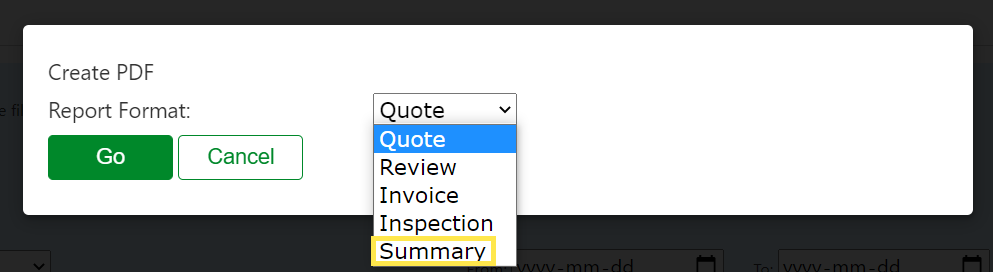
- Select Summary from the Report Format field and click on Go.