How to create a New Group
Last updated
The previous article talked about Building Groups and what they are. This article will go through the steps to create a new Building Group.
Note:Every Organization has an Organization Portfolio under which all the Buildings are nested.
Creating a Top-Level Group
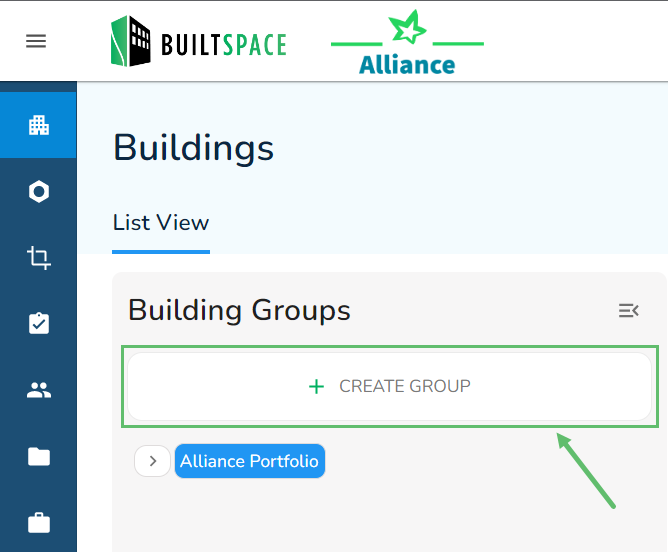
- From the Buildings page click on + Create Group to create a Top-Level Group.
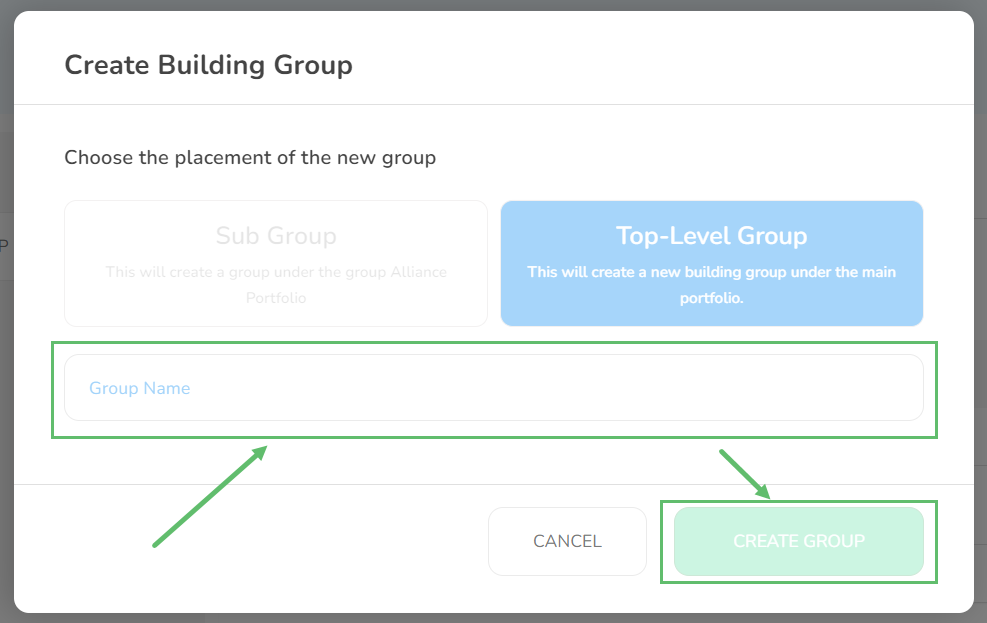
- By default, Top-Level Group is automatically selected. If you were viewing the entire organization portfolio, then you will not be able to select anything other than Top-Level Group. Simply enter the name of the group you want to create and click on Create Group when done.
Creating Sub Group
Note:A Sub Group is always nested under a Top-Level Group.
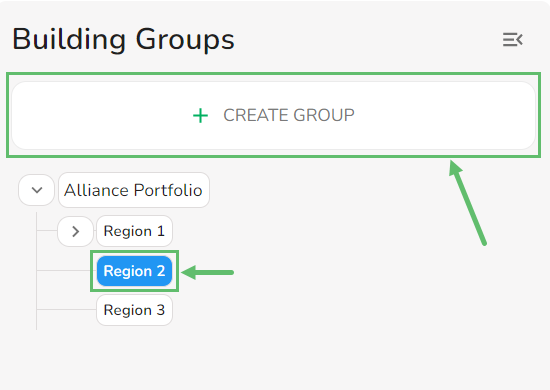
- Select a Top-Level Group.
- Click on the + Create Group.
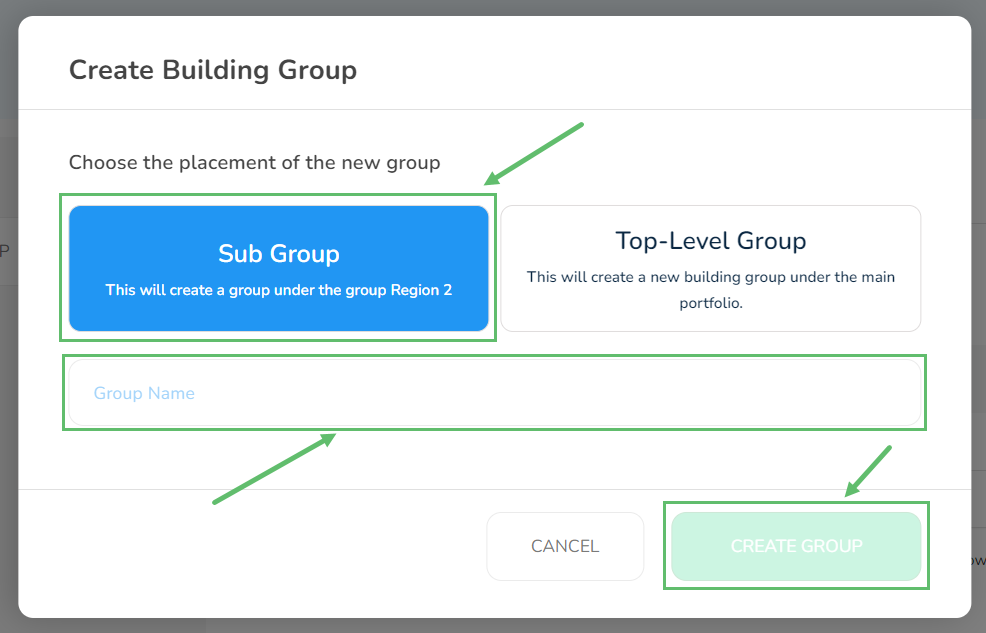
- Select Sub Group and enter the name of the group you want to create. Then click on Create Group when done.