How to add Customers
Last updated
The following article will teach you how you can add Customers to BuiltSpace.
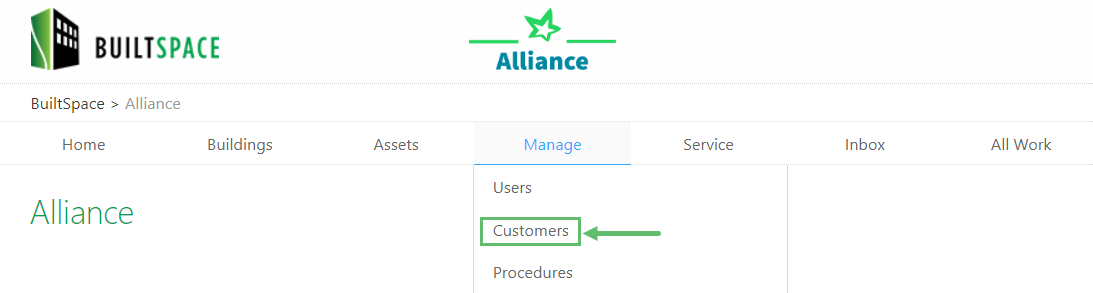
- Hover over to the Manage tab near the top of the page and click on Customers.
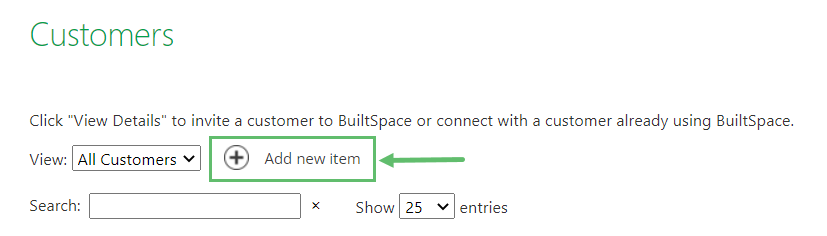
- Click + Add new item.
- Fill out the form presented to you (most of the fields in the form are self-explanatory).
Note:We recommend you enter a customer-specific labour rate for invoicing.
- Click Save when done.
Newly created customers will appear on the Customers page after the page refreshes.
Note:If you would like to input a large number of {{variable.Customers}} at once, fill out the {{variable.Customers}}/Contacts Import Excel Template. You can download it by clicking here. Make sure you click on the {{variable.Customers}} tab in Excel to view the right sheet. Red asterisks (*) denote required fields. After you are done, save the file and send it to support@builtspace.com.