Export a Building Group
Last updated
This article will teach you how to export the list of Buildings within a Building Group. Simply follow these steps:
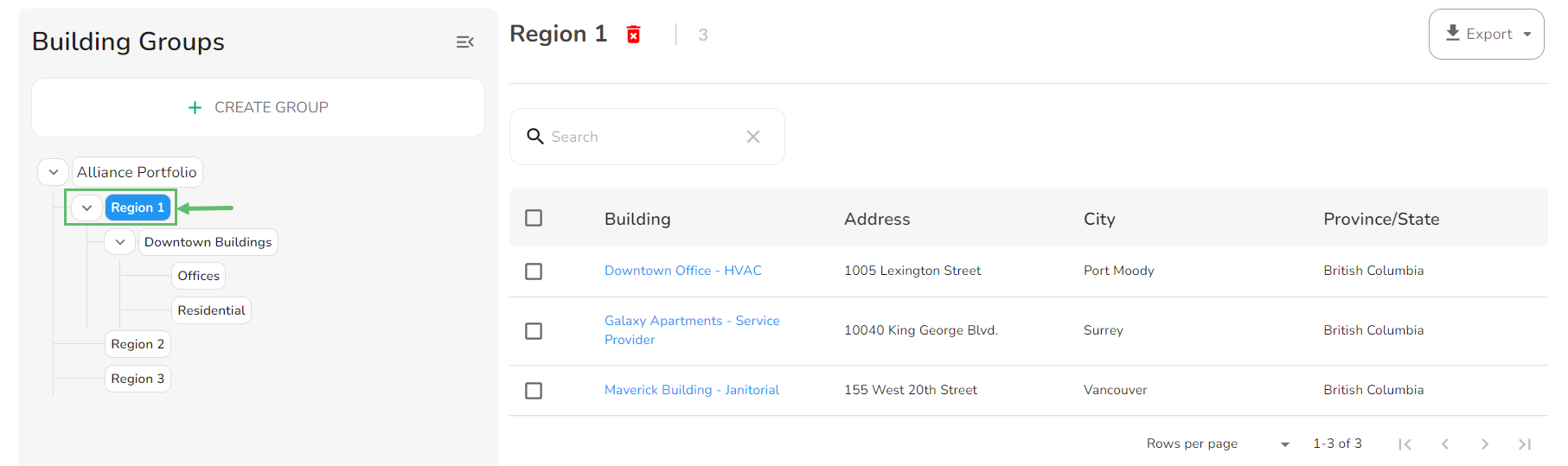
- From the Buildings page, select the group you want to export from the left panel. In the screenshot below, we selected 'Group 1'.
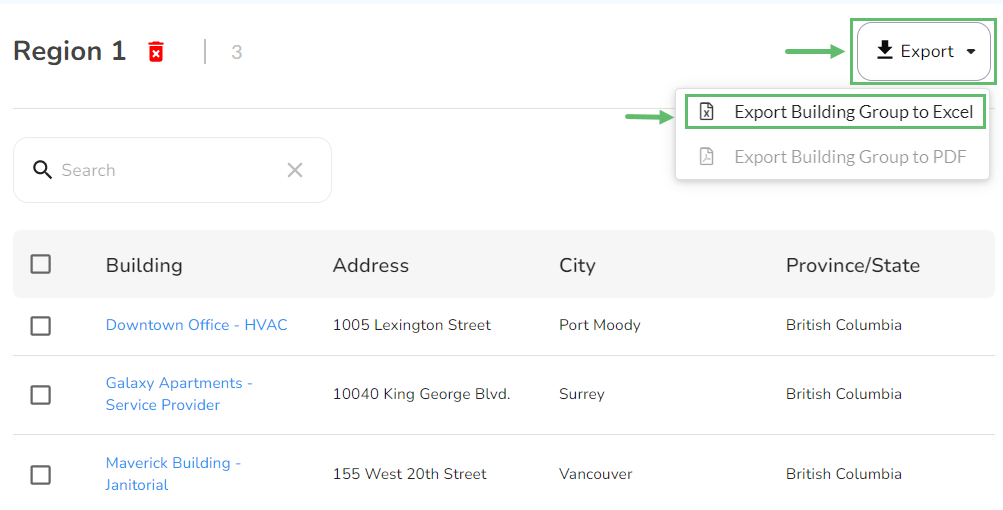
- Click on the Export in the top-right corner and select Export Building Group to Excel.
- The Excel file will be downloaded to your computer.