Building Details Overview
Last updated
Introduction
The Building Details Overview is a pivotal feature in BuiltSpace designed to provide users with an extensive and detailed view of their buildings. This comprehensive tool is key to making informed decisions and enhancing the efficiency of building management. This article will guide you through the key components of the Building Details Overview and demonstrate how they contribute to more effective and organized building management.
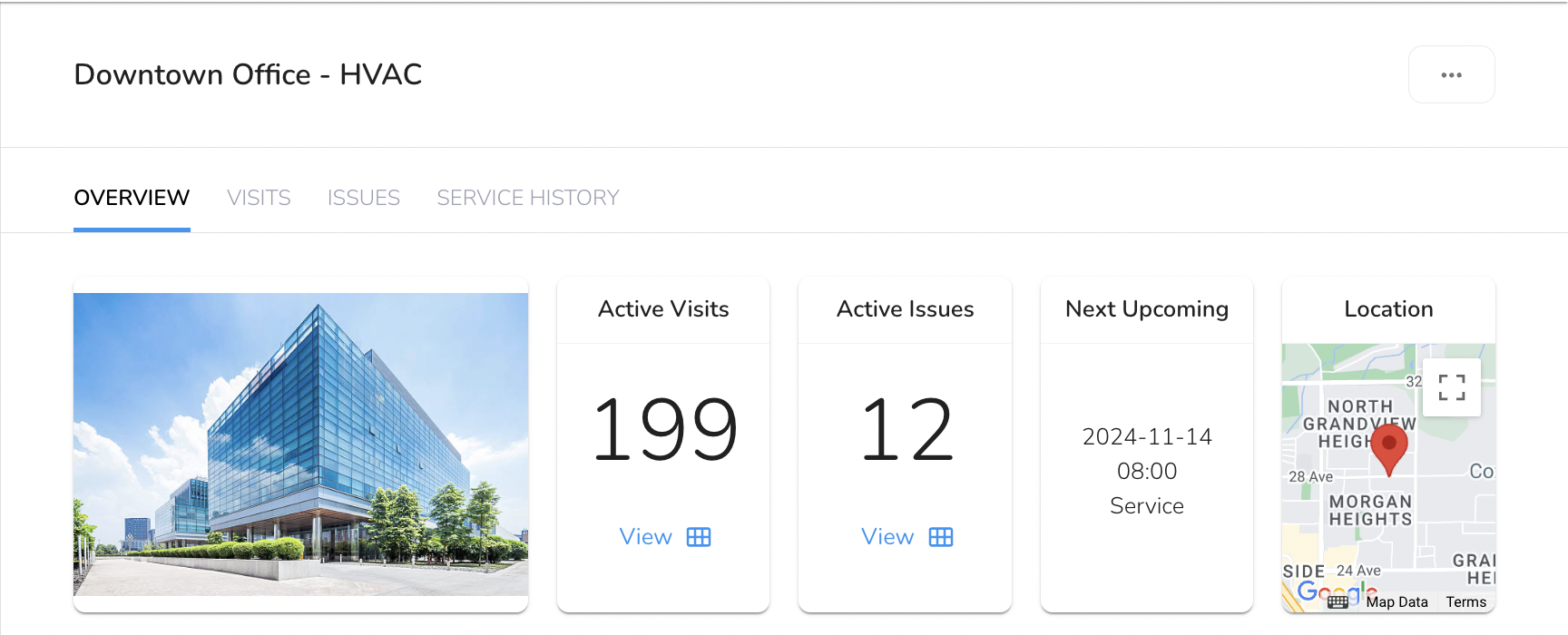
Key Components of the Building Details Overview
1. Active Visits
The Active Visits component displays all visits that are currently open and being worked on for the building. This feature allows users to monitor real-time activity, track progress on ongoing tasks, and ensure that all operations are proceeding as planned.
2. Active Issues
The Active Issues feature provides a count of ongoing problems or issues related to the building. This enables facility managers and maintenance teams to quickly assess the building’s condition and prioritize maintenance tasks accordingly.
3. Next Upcoming Visit
The Next Upcoming Task section notifies users of the next scheduled maintenance, inspection, or other crucial activities planned for the building. This proactive feature is essential for maintaining smooth operations and ensuring that buildings remain in excellent working condition, thereby avoiding potential disruptions.
4. Mini Map with Geo-Location
The integration of a Mini Map with Geo-Location within the Building Details Overview provides a visual representation of the building’s geographical positioning. This is especially useful for properties spread across various locations or for large campuses. The map feature enables users to quickly locate a specific building, which aids in efficient navigation and task allocation.
5. Building Information
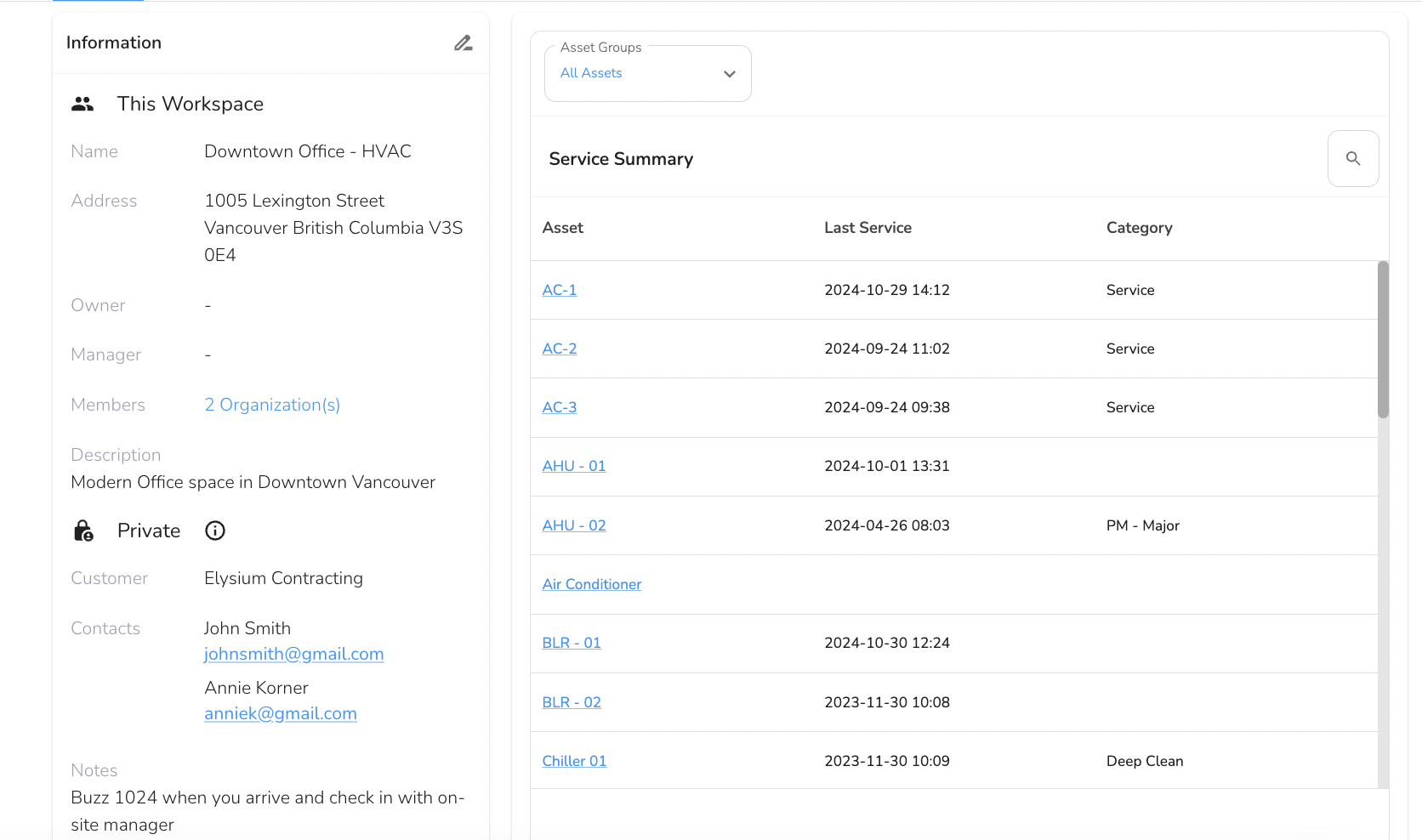
Information Table
The Information Table in the Building Details Overview contains vital details about the building, enhancing transparency and accessibility. Users can view and edit the following key information directly through the overview:
Note:
The Building Address, Name, Owner, Manager and Description are related to the building. If a Building is shared, they will be able to see these fields.
Notes, Customer and Contacts are private fields. Any information that is private and not meant to be shared can go in the Notes field.
- Address: The physical address of the building.
- Owner: The individual or entity that owns the building.
- Manager: The person/company responsible for managing the building.
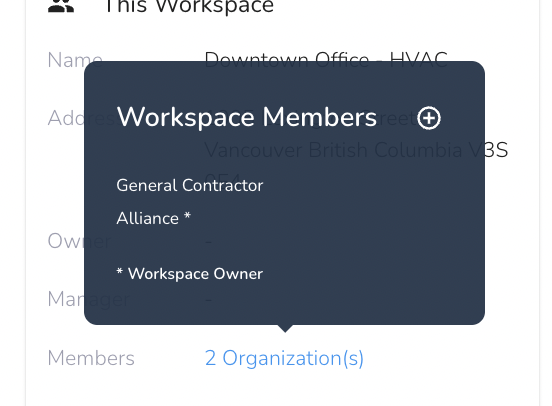
- Members: Organizations who have been given access to this building can collaborate within the building workspace.
- Sharing the Building:
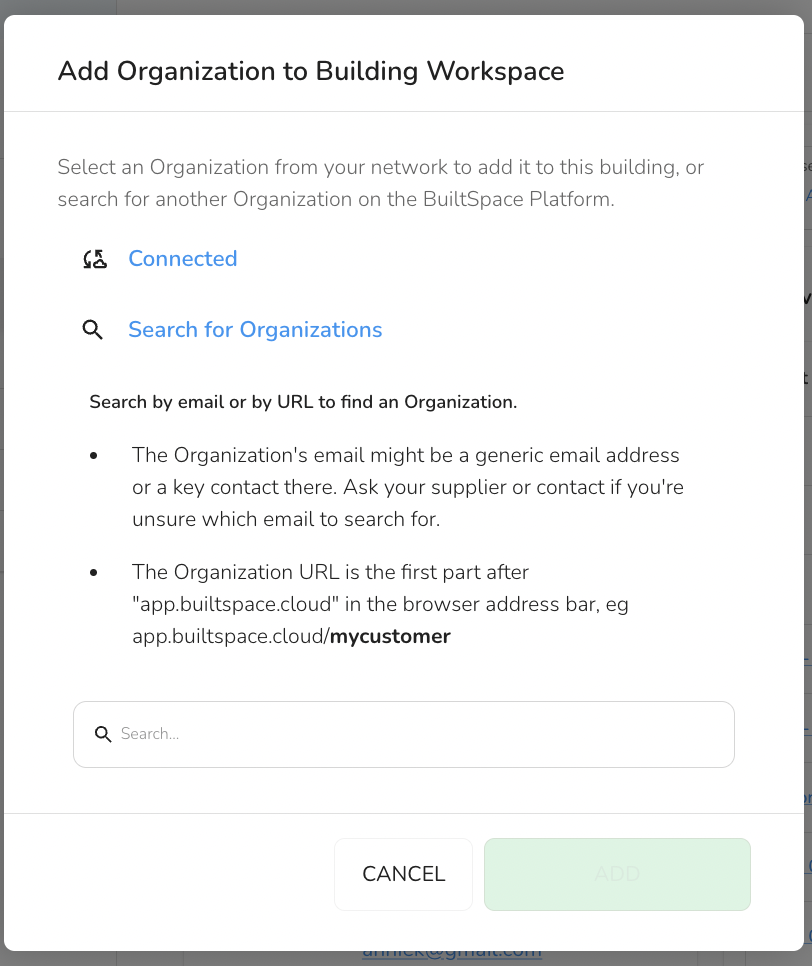
- The Org admins can share the building with another organization.
- They can select an organization from their existing connections (organizations they are already sharing buildings or service history with) or search for a new organization if they know the organization’s URL or contact email.
- When an organization creates assets within the workspace, they retain control over those assets. The building workspace owner cannot edit or modify assets created by another organization, ensuring data integrity and ownership.
- This setup allows building owners to invite multiple suppliers or service providers to work within the same building workspace. Each supplier’s assets remain secure, and suppliers can trust that no other organization will alter their data.
- Connected Organizations: These are organizations with whom you’re already sharing buildings or service history. Connecting with an organization allows seamless collaboration without the risk of unauthorized changes to each other's assets.
This structure promotes secure, collaborative building management where multiple service providers can operate independently within the same workspace, without concerns about data modification by other members.
- Description: A brief description of the building and its purposes.
- Notes: Additional notes that may include historical data, special instructions, or other relevant information.
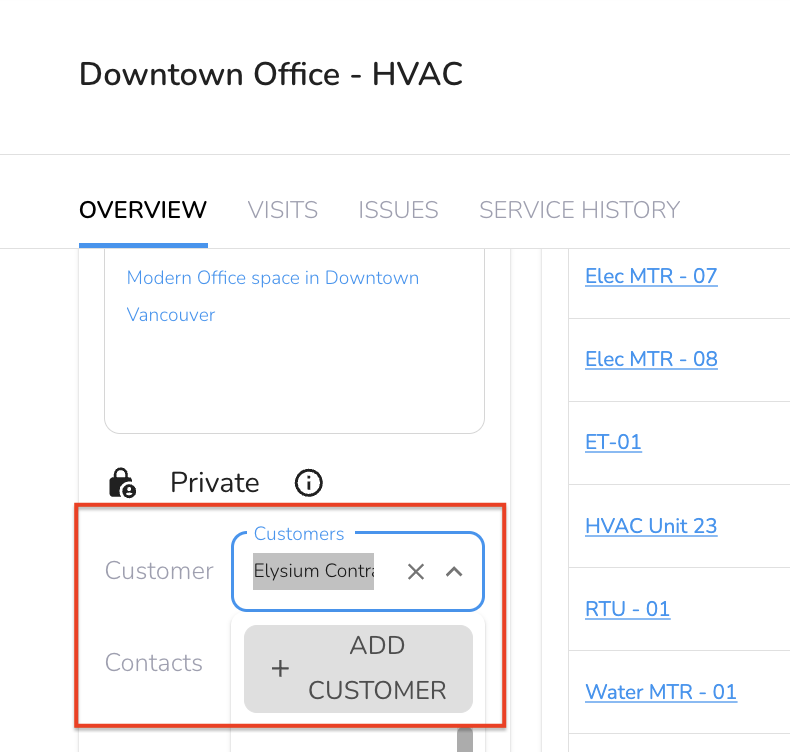
- Customer: Customer or client billing address associated with the building. It shows up at the top of an invoice you generate from the BuiltSpace site.
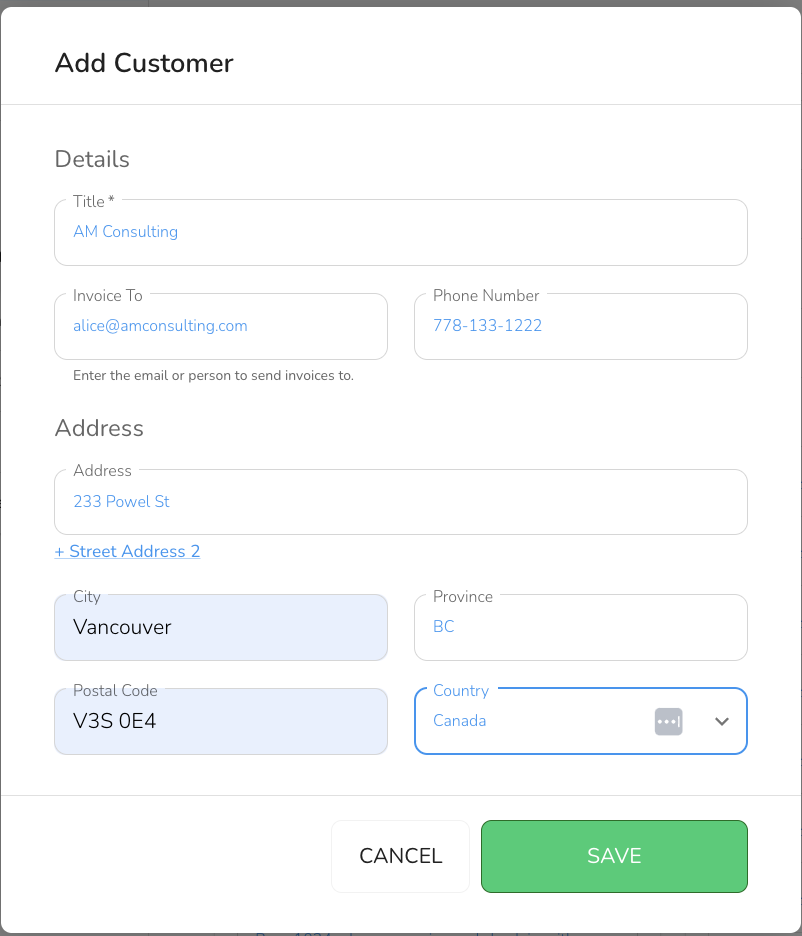
- You can also add a new Customer here by clicking on the Add Customer button from the dropdown.
- Enter the details and click “Save”
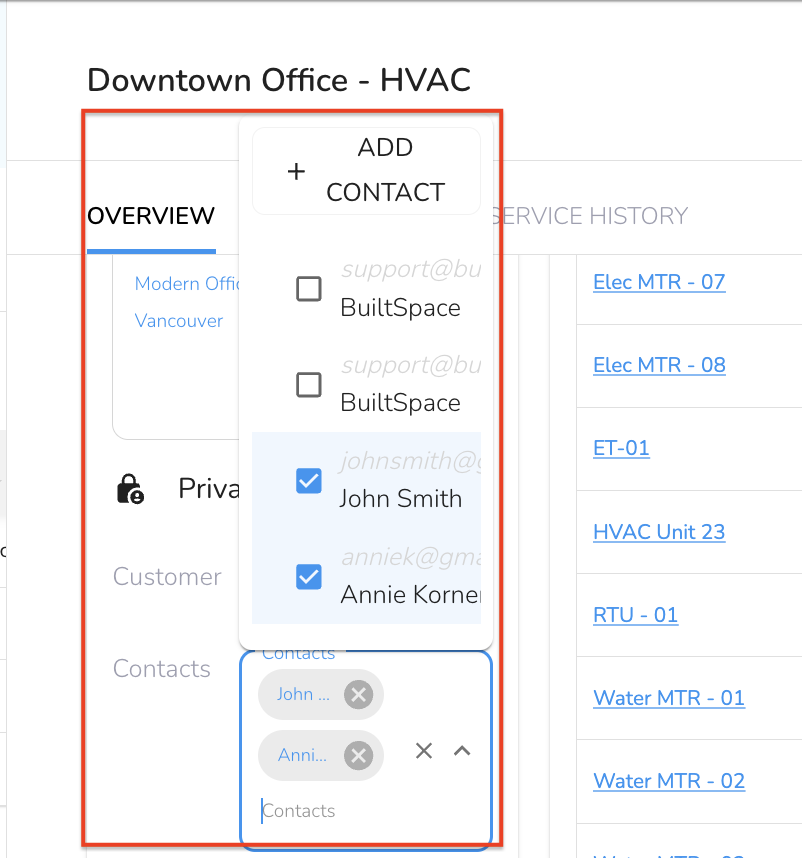
- Contacts: Key contact information for stakeholders involved with the building. Contacts are visible in the Service Twin App, especially to help the technician gain access to the building.
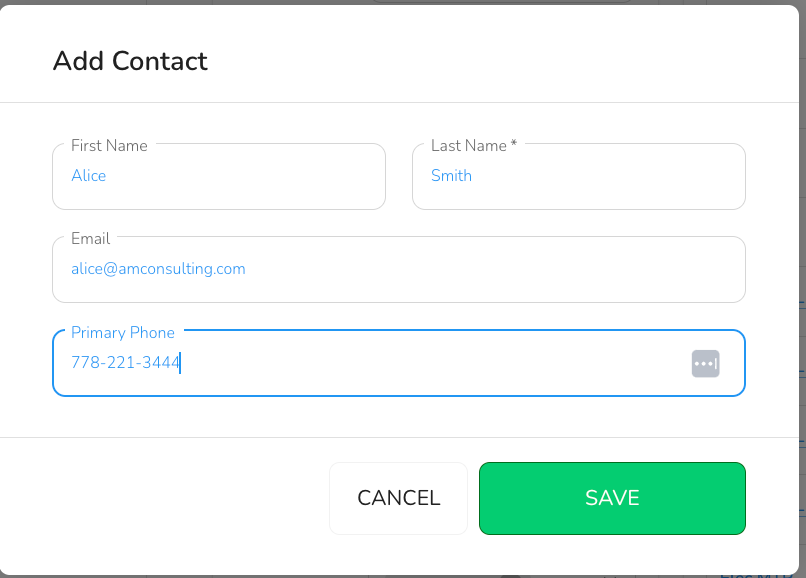
- You can also add a new Contact here by clicking on the Add Contact button from the dropdown.
- Enter the details and click “Save”
Note:
It is important to note that any buildings added through the Admin Portal render the building details not viewable in the Web App.
6. Service Summary
The Service Summary section provides a list of assets and their latest service dates for this building. Clicking on the Asset name will redirect users to the asset details page. Additionally, the list of assets can be filtered by asset groups to streamline the search and review process.
This is where the building definition goes.
An Asset is an item that serves a function in/around a building.
In BuiltSpace, assets must be associated with a building, although they may physically exist outside of a building or be movable.